C-Guide System Protocol

Overview

Osseodensification Burs Kit Guided Surgery System is an innovative universal system that allows for adequate irrigation, proper visualization of the osteotomy
preparation and expansion, with full ability to luxate with the Densah Bur. It facilitates the management of multiple sites with different site
preparation depths and diameters with precision.

Step 1:

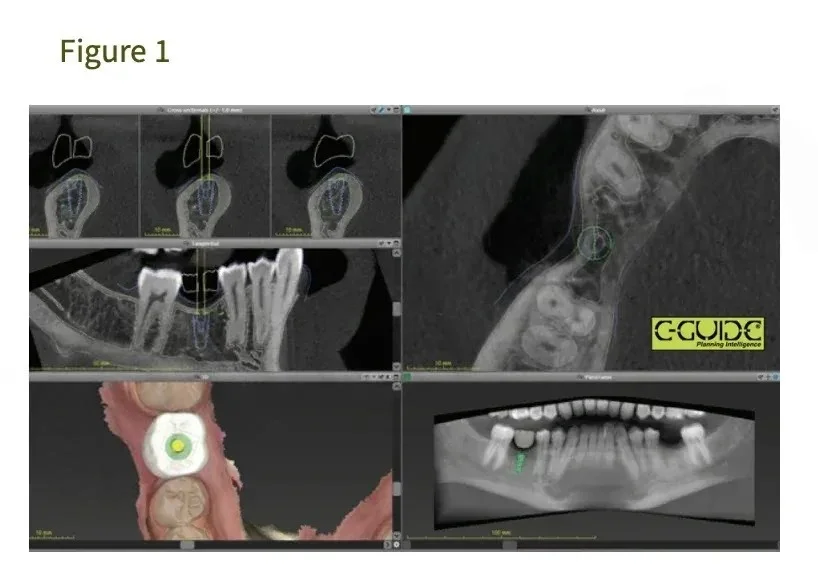
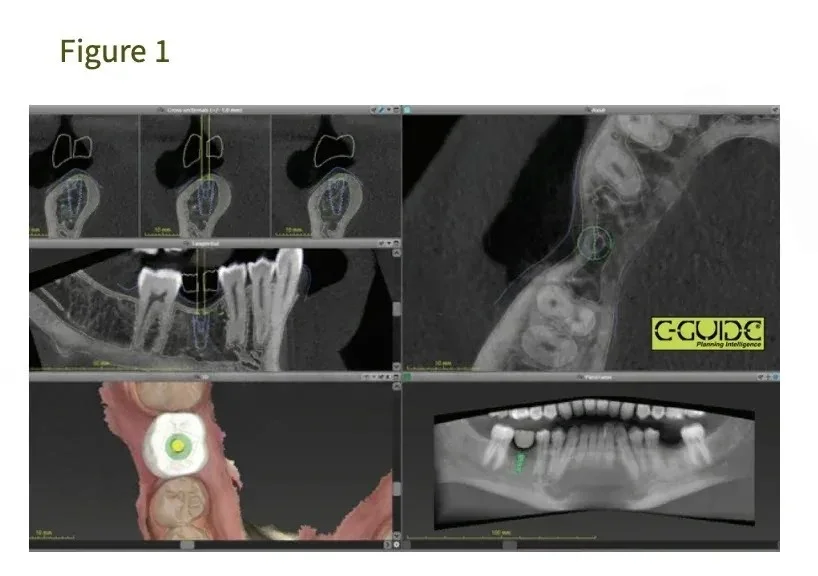
Imaging: Obtain a CBCT scan and digital impressions of patients
designated jaw(s). (figure 1)

Step 2:

Densah Bur (2.0) OD Mode to sinus floor.
Avoid using a pilot drill. Depending upon the implant type and diameter
selected for the site, begin with the narrowest Densah Bur (2.0). Change the
surgical motor to reverse (counterclockwise drill speed
1000 rpm-Densifying Mode with copious irrigation). Begin running the bur into
the osteotomy until reaching the dense sinus floor. Confirm Bur position with a
radiograph.

Step 1:

Imaging: Obtain a CBCT scan and digital impressions of patients
designated jaw(s). (figure 1)

Step 3:

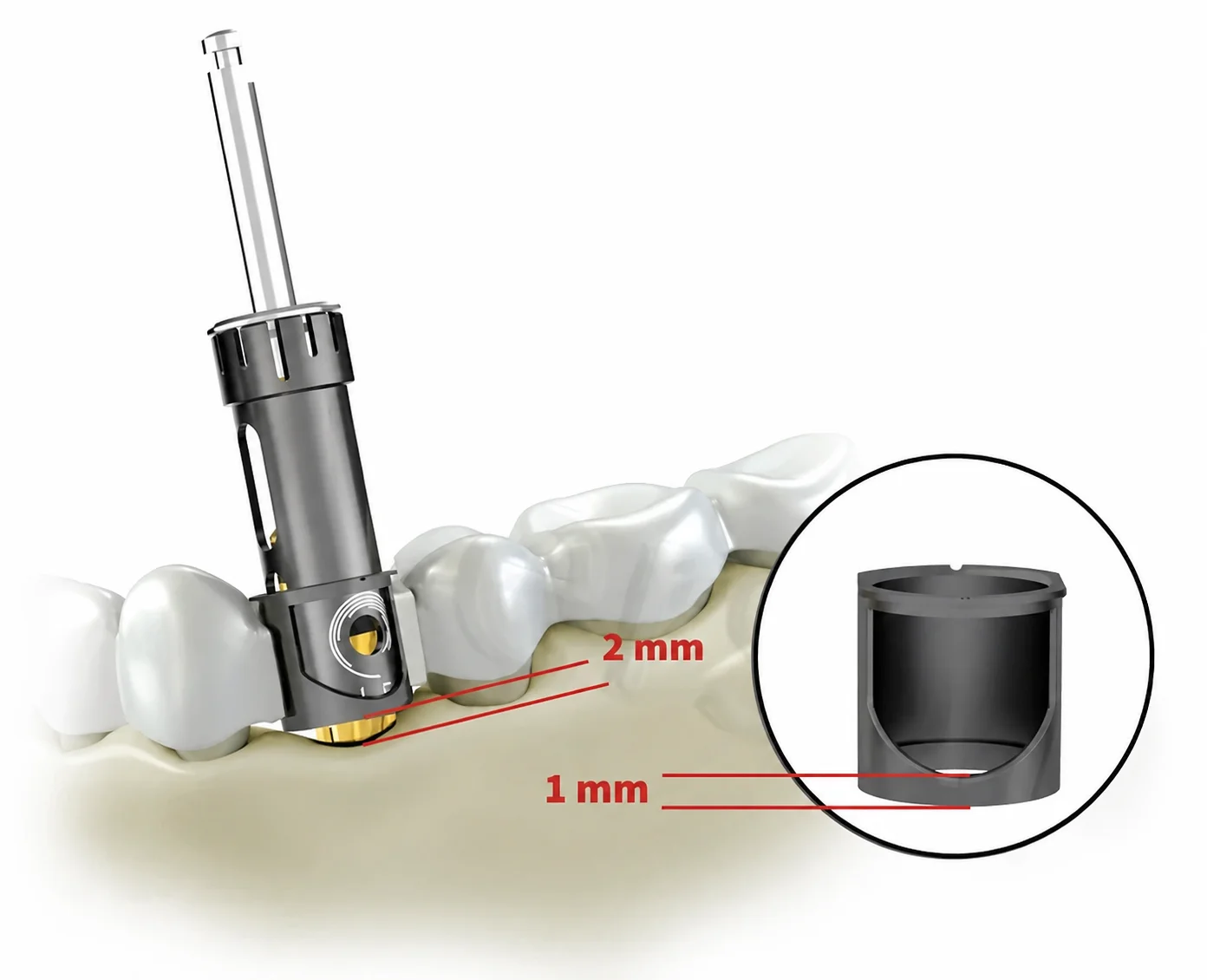
Determine the final implant diameter, depth, and angulation, C-Guide Sleeve placement, and drilling sequence with the needed Densah Burs.
(figure 3) Make sure the surgical guide base sits maximum 2 mm
coronal of the alveolar bone crestal level.

Step 4:

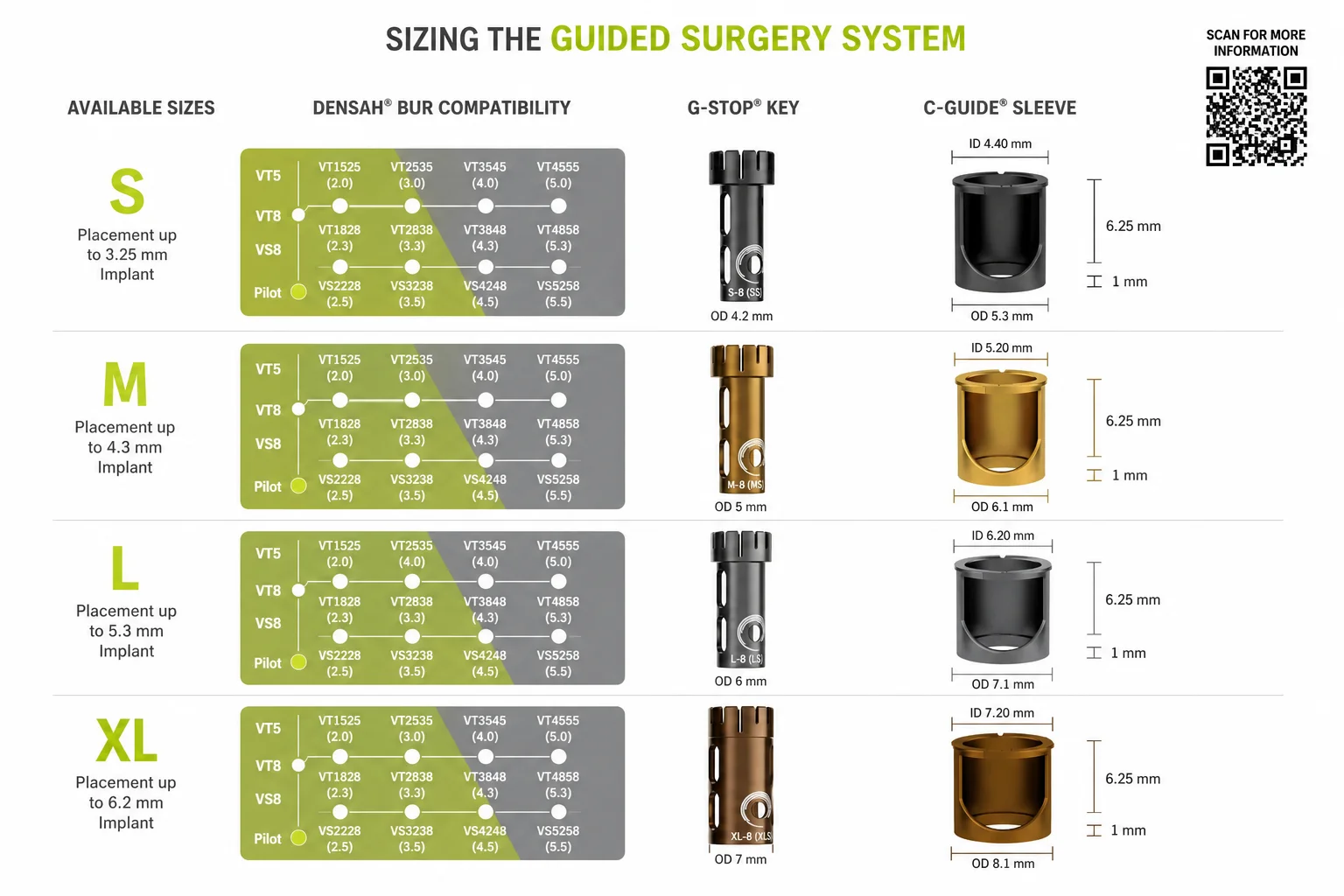
Select the appropriate G-Stop (S-M-L-XL) according to implant diameter and treatment plan. (figure 2) showing Guided Densah Bur VT3848 with
appropriate large vertical stop and matching large C-Guide Sleeve.

Step 5:

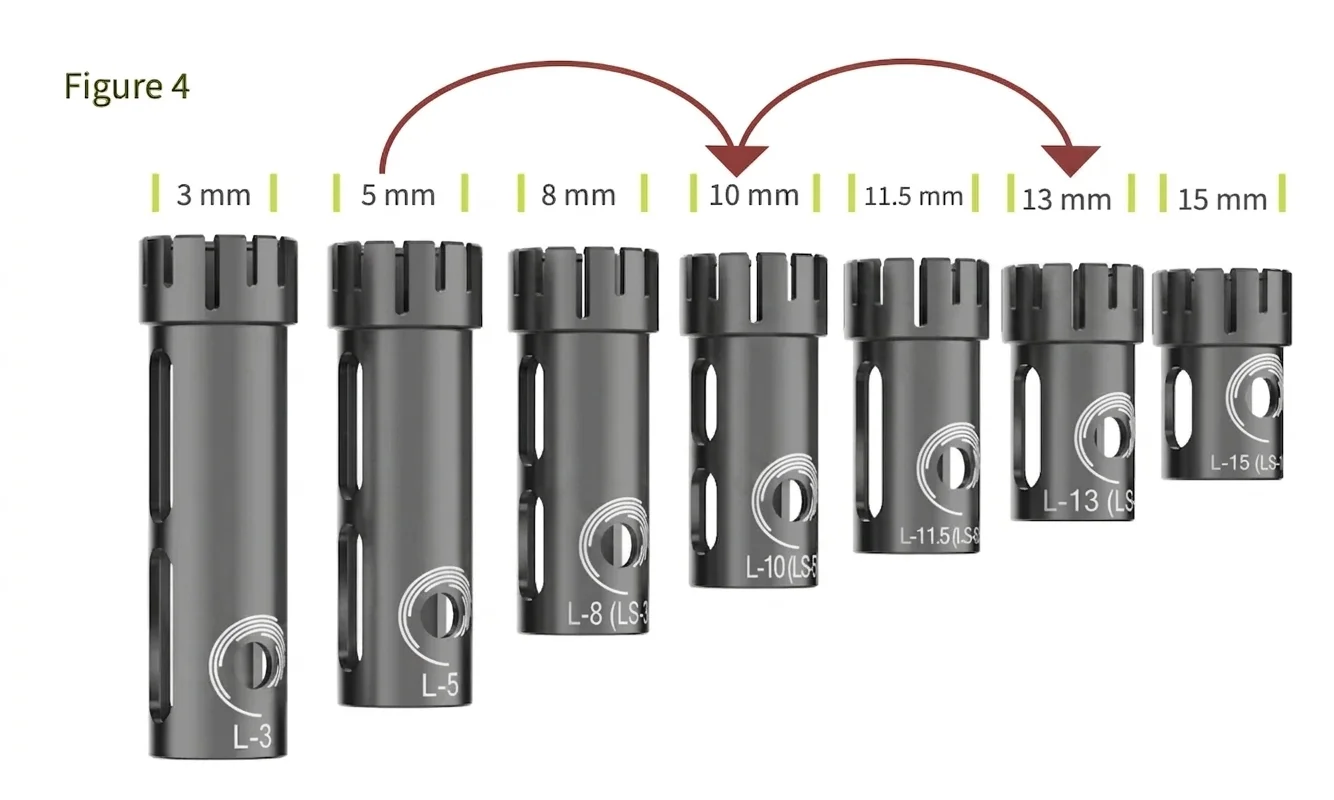
Follow the suggested specific Implant System Drilling Protocol: Use the
G-Stop Keys in incremental depth steps, example: start with the G-
Stop Key (5 mm) to mark your osteotomy and establish initial hole
trajectory at 2mm depth (5mm-3mm offset) as in (figure 3). Exchange
(5 mm) stop with the next appropriate stop length to achieve the full
planned desired depth. Go in incremental depth steps (do not skip more
than one stop-depth for maximum accuracy) leading up to your final
length (figure 4). Repeat with wider Densah Bur. Your G-Stop Key size
must align with your C-Guide@ size.